iZip is the best way to manage archives on Mac
iZip is the easiest way to manage ZIP, ZIPX, RAR, TAR, 7ZIP and other compressed files on your Mac. Best of all it's completely free so you can zip, unzip & unrar your files without limitations!
Supports the latest macOS Golden Gate. Requires macOS Monterey 12.4 or above.
Windows user? Compress, Encrypt and Share with iZip for PC. · Screenshots
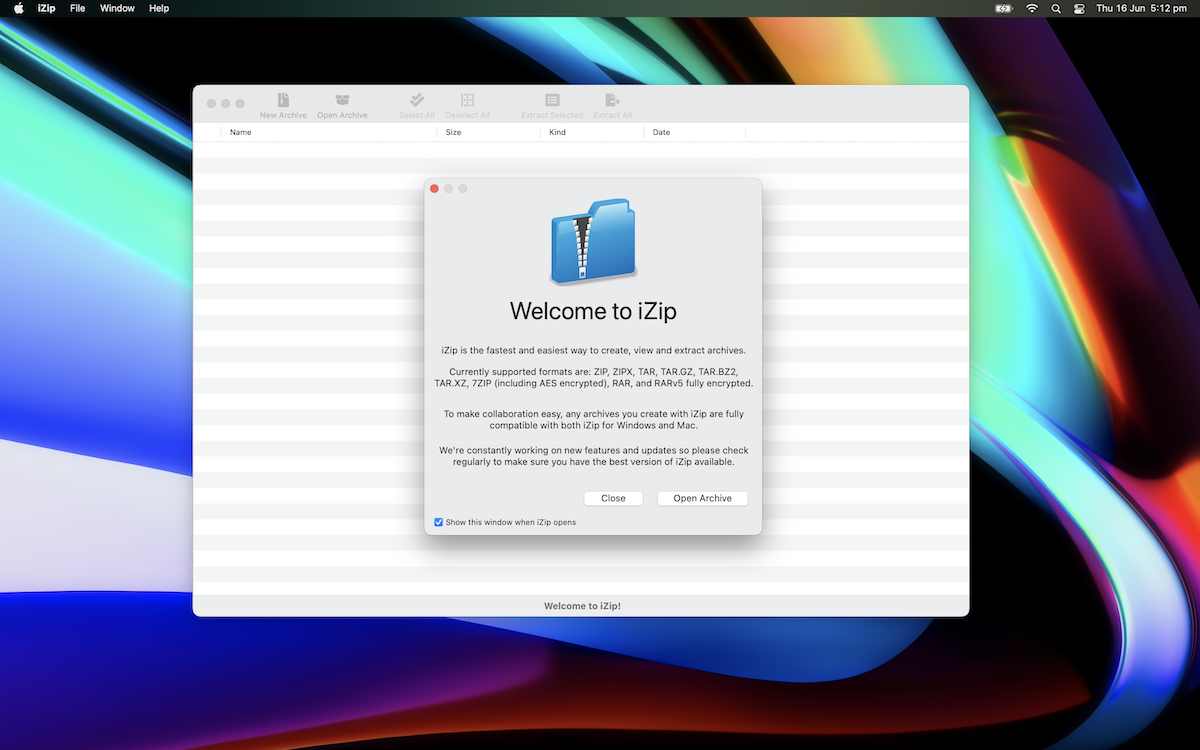
- ZIP
- ZIPX
- RAR
- RAR5
- 7Z
- TAR
- TAR.GZ
- TAR.BZ2
- TAR.XZ
- AES-256
Simple to Use
iZip supports all the major modern archive formats like ZIP, RAR, 7ZIP, TAR, BZ2 and XZ, including fully encrypted archives. Simply open an archive with iZip to quickly browse, view and extract.
Secure Sharing
iZip allows you to secure your archives with AES-256 encryption, while the Windows and macOS versions of iZip are completely interoperable, making transfers and collaboration easy.
Free!
iZip is completely free to download and use. There are no advertisements, spyware, time limits or other catches. We hope you love using it and tell all your friends!
You may choose to upgrade your copy to enable archive modifications or use it totally free to view and extract ZIP, ZIPX, RAR, 7Z etc.
Now on iPhone & iPad
The official iZip for iPhone and iPad is now available from the App Store. Open ZIP, RAR, 7z and encrypted archives from Mail, Safari or Files, and scan paper documents straight into a ZIP.

Scan with your iPhone or iPad camera
Guides & how-tos
Step-by-step help for getting the most out of iZip.
How to Open 7z Files on iPhone and iPad
Open and extract .7z archives on your iPhone or iPad for free with iZip, including split and AES encrypted 7-Zip files.
Read guide →How to Open RAR Files on iPhone and iPad
Unrar RAR and RAR5 files on iPhone and iPad with iZip: open from Mail, Safari or the Files app and extract what you need.
Read guide →How to Open Password-Protected ZIP Files on iPhone
Open AES-256 encrypted ZIP, 7z and RAR archives on your iPhone or iPad with iZip, and what to do if the password is rejected.
Read guide →